![]() |
| Table of specifications for the new ReadyNAS rang (source: Netgear) |
Showing posts with label Storage. Show all posts
Wednesday, 8 May 2013
Netgear's new ReadyNAS range uses BTRFS filesystem
Netgear has announced a major revamp of its ReadNAS range. The new models feature a brand new operating system, ReadyNAS OS 6, that uses the BTRFS filesystem, the first NAS OS to do so. BTRFS is an unusual filesystem with copy-on-write capabilities - this makes it easy to create data snapshots and recover any file, even if it's been deleted. You can read more about the new range in my article for ZDNet UK's First Take blog. Prices have not yet been announced.
Tuesday, 18 December 2012
Review: Synology DS212j
Synology's consumer twin-bay NAS enclosures are excellent value and great for those who just need some centralised storage with basic redundancy. The DS212j is very easy to use and supports up to 3TB Sata hard disks. It also has Synology's outstanding DSM interface, which is very easy to use and comes with loads of add-in modules. You can even use it to host a blog or website. Don't be put off by the cheap-looking plastic casing, these are pretty solid devices inside and have a great feature set.
Read my full review over on Computeractive, where it earned a Buy It! award. (Note that this review was done almost a year ago, but has only just made it onto the Computeractive website for some reason).
Below I've posted the results of my standard Passmark Performance Test 7 performance tests, using the Advanced Disk Tests and two Hitachi Cinemastar 250GB hard disks (this was tested before I got the WD Red disks). It's not particularly fast, but perfectly acceptable for an entry-level product.
Find it on Amazon:
Read my full review over on Computeractive, where it earned a Buy It! award. (Note that this review was done almost a year ago, but has only just made it onto the Computeractive website for some reason).
Below I've posted the results of my standard Passmark Performance Test 7 performance tests, using the Advanced Disk Tests and two Hitachi Cinemastar 250GB hard disks (this was tested before I got the WD Red disks). It's not particularly fast, but perfectly acceptable for an entry-level product.
![]() |
| Database workload |
![]() |
| File Server workload |
![]() |
| Web Server workload |
![]() |
| Workstation workload |
Find it on Amazon:
Thursday, 15 November 2012
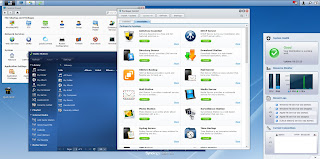
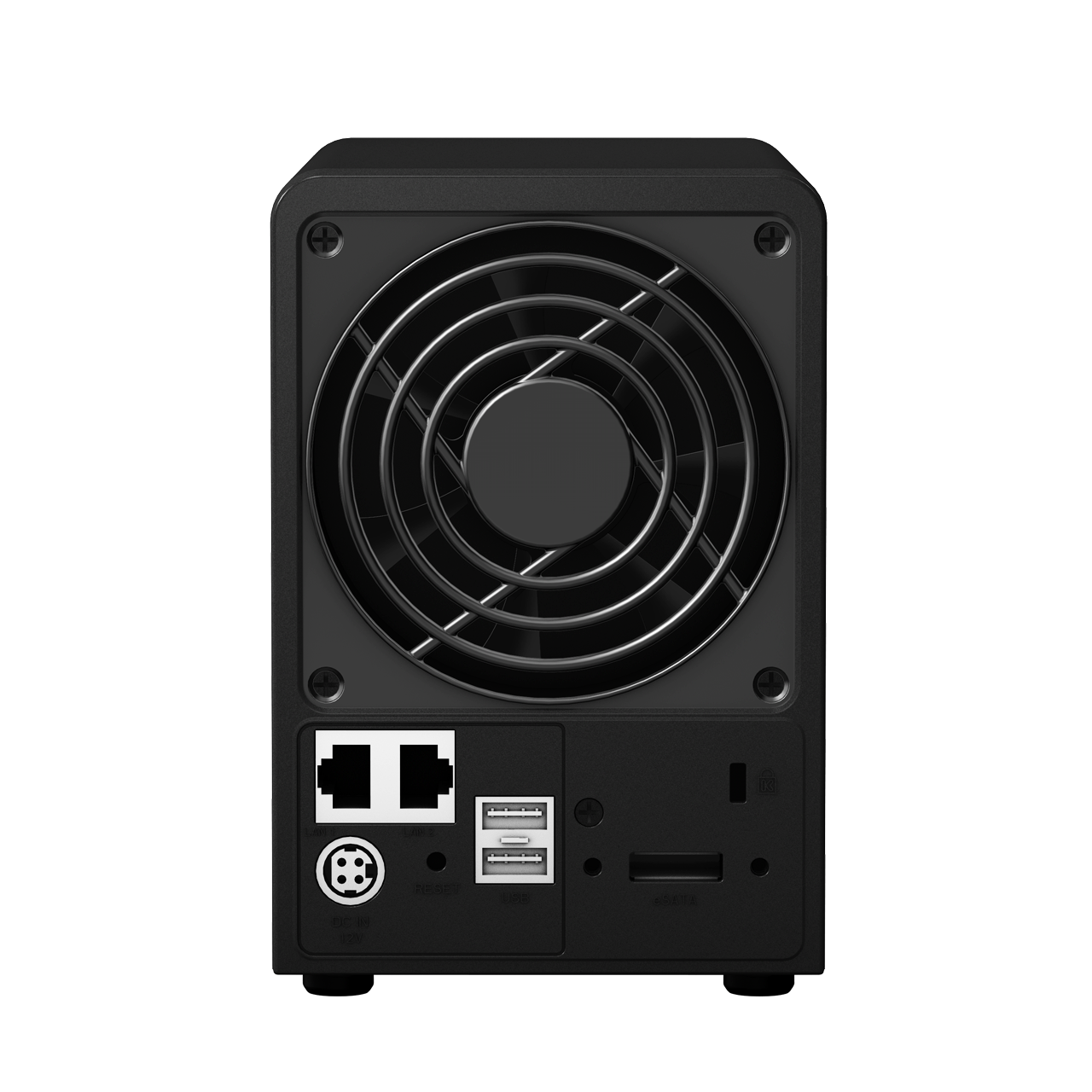
Synology DiskStation DS213air
Synology's NAS enclosures have supported add-on USB Wifi dongles for a while, but the 2-bay DS213air is the company's first model with integrated wireless. It's aimed mainly at consumers, and has a couple of novel features, such as the ability to work as a wireless access point or wireless router. It's not a particularly powerful unit, as you can see from my results below, but it does have the convenience factor and Synology's excellent DSM software.
For more details, see my article over on ZDNet UK's First Take blog or my review on Computeractive.
Find the best price on Amazon:
For more details, see my article over on ZDNet UK's First Take blog or my review on Computeractive.
| It uses a mini-PCIe card on the motherboard for Wifi |
![]() |
| DiskMark score over Wifi at 1m is not particularly impressive |
![]() |
| DiskMark score over Ethernet is a bit better |
Find the best price on Amazon:
Tuesday, 25 September 2012
Synology Diskstation DS-413
Synology's new DS-413 is a 4-bay NAS enclosure based on the existing DS-412+, but using a PowerPC processor (with a hardware encryption engine) rather than an Intel Atom. It supports the latest 4.1 release of the DSM software, and also showcases the new Web Assistant tool for deployment. I've written a short piece over on ZDNet with more details, but below I've included the Passmark Performance Test results - for these, I installed three WD Red 3TB hard disks. As you can see, it does pretty well, nudging just under 100MB/sec in the Web Server workload.
Buy it on Amazon:
![]() |
| DiskMark result |
![]() |
| Database workload |
![]() |
| File Server workload |
![]() |
| Workstation workload |
![]() |
| Web Server workload |
Buy it on Amazon:
Thursday, 20 September 2012
Review: Iomega EZ Media & Backup Center
I've looked at several single-bay NAS devices, and this one from Iomega is one of the most complicated. Although the supplied software utilities are not too bad, particularly the Quikprotect file sync service, it has a poorly designed admin menu system that drove me nuts. It's a real shame, as the unit is sturdily built and is relatively inexpensive. You can read my full review on Computeractive.
I've included my performance results from Passmark Performance Test 7 below. As you can see, it's not particularly fast, but for most home users it's perfectly adequate.
| It has a metal case |
| The menu system is awful |
![]() |
| Database workload |
![]() |
| File Server workload |
![]() |
| Web Server workload |
| Workstation workload |
Wednesday, 5 September 2012
NAS performance testing with WD Red hard disks
Reviewing NAS enclosures is fraught with potential pitfalls for the unwary, not least of which is the fact that there can be compatibility issues with some hard disks. After trying a few different options, a year or so ago I standardised the hard disks for my testing. For no other reasons than cost (they were on offer at the time), I opted for a set of three 250GB Hitachi CinemaStar 7K500 HCS725025VLA380 disks. These are nothing special, just 7,200rpm SATA-2 drives with an 8MB cache. they are supposedly optimised for use in consumer electronics devices like DVRs, but they have worked faultlessly in every enclosure I've tested.
Recently I was offered the chance to try out the new WD Red drives that I wrote about recently. These are specifically designed for NAS use. As they are SATA-3 models, and much larger (I used the 2TB and 3TB models for these tests), they should be a good match for the capabilities of the latest enclosures.
It is a bit of a nuisance in one way, as changing my reference disks means the results I get won't be directly comparable to my older tests, but in an attempt to quantify the differences, I ran some performance tests with the WD drives and my old disks. For this, I used two Synology enclosures - the single-bay DS-112+, and the 2-bay DS-712+.
The results were quite interesting, as I discovered that my ageing Hitachis were actually doing a pretty decent job. Although beaten in most tests by the WD drives, it was not by as big a margin as I'd expected. Of course, the Hitachi drives don't have the NAS-specific tweaks offered by the WD Reds, such as power optimisation, balance control technology and the NASWare firmware.
As usual, I used Passmark Performance Test 7.0, first running the standard DiskMark test on a mapped share, and then using the Advanced Disk Tests to run the four preset workloads. The breakdown of these workloads is below, and all tests were run for 60 seconds.


The overall improvement using the WD Red drives comes to about 10% for the DS-112+ and 14% for the DS-712, which is probably a testament to the 7,200rpm spin speed of the Hitachi disks (the WD Reds use IntelliPower, with each model having a factory-optimised - but undisclosed - spin speed).
Interestingly, in the DS-712+, the Hitachi drives even manage to beat the WD Reds in a couple of workloads, which is again no doubt a function of their high spin speed giving fast read performance. In the tests with a significant write component, the Hitachis are not quite so impressive.
The good news is that I don't appear to have done any of the NAS enclosures I've reviewed a disservice by using the Hitachis, although my objective when reviewing enclosures is to get comparable results rather than absolute figures - after all, it's impossible to know what drives any particular buyer will stick in them.
One thing I did notice was how cool the WD Red disks were running. I have them in a four-bay enclosure I'm reviewing at the moment (I can't say which one as it's under NDA) and they are happily operating at between 28-30°C. The Hitachis generally operate around 35°C, depending on the enclosure's ventilation.
But the tests do show that choosing the right hard disks for the job in a NAS enclosure can have noticeable effects on performance, and this could be more noticeable in higher-powered enclosures with faster CPUs and more memory. Given that the Red drives are not much more expensive than ordinary drives (around a 10% premium, but shop around), and come with a three-year warranty and a special 24/7 support hotline, they are definitely worth considering when you next need some hard disks.
Find it on Amazon:
Recently I was offered the chance to try out the new WD Red drives that I wrote about recently. These are specifically designed for NAS use. As they are SATA-3 models, and much larger (I used the 2TB and 3TB models for these tests), they should be a good match for the capabilities of the latest enclosures.
| A WD Red drive posing |
The results were quite interesting, as I discovered that my ageing Hitachis were actually doing a pretty decent job. Although beaten in most tests by the WD drives, it was not by as big a margin as I'd expected. Of course, the Hitachi drives don't have the NAS-specific tweaks offered by the WD Reds, such as power optimisation, balance control technology and the NASWare firmware.
As usual, I used Passmark Performance Test 7.0, first running the standard DiskMark test on a mapped share, and then using the Advanced Disk Tests to run the four preset workloads. The breakdown of these workloads is below, and all tests were run for 60 seconds.
| File Server | Web Server | Workstation | Database | |
| Block size | 16384 bytes | 16384 bytes | 16384 bytes | 2048 bytes |
| File size | 512MB | 4093MB | 4093MB | 2048MB |
| Reading | 80% | 100% | 70% | 90% |
| Writing | 20% | 0% | 30% | 10% |
| Sequential | 0% | 0% | 20% | 10% |
| Random | 100% | 100% | 80% | 90% |
| Request mode | Async | Async | Sync | Async |
| IO queue length | 128 | 64 | 0 | 128 |
| Access method | Standard Win32 API (uncached) | Standard Win32 API (uncached) | Standard Win32 API (uncached) | Standard Win32 API (uncached) |

| Synology DS-112+ | Hitachi 250GB | WD Red 2TB | Difference |
| DiskMark Overall | 718.1 | 796 | 10.8% |
| DiskMark - Sequential Read | 92.5 | 93.9 | 1.5% |
| DiskMark - Sequential Write | 54.5 | 69.5 | 27.5% |
| DiskMark - Random Read/Write | 51.5 | 56.7 | 10.1% |
| Fileserver | 18.36 | 20.95 | 14.1% |
| Webserver | 86.99 | 87.17 | 0.2% |
| Workstation | 12.05 | 13.9 | 15.4% |
| Database | 17.19 | 17.32 | 0.8% |

| Synology DS-712+ | Hitachi 250GB | WD Red 2TB | Difference |
| DiskMark Overall | 807.1 | 896.5 | 11.1% |
| DiskMark - Sequential Read | 94.3 | 95.2 | 1.0% |
| DiskMark - Sequential Write | 56.3 | 82.5 | 46.5% |
| DiskMark - Random Read/Write | 72.6 | 70.2 | -3.3% |
| Fileserver | 54.21 | 79.21 | 46.1% |
| Webserver | 98.8 | 94.5 | -4.4% |
| Workstation | 14.65 | 17.77 | 21.3% |
| Database | 21.38 | 20.11 | -5.9% |
The overall improvement using the WD Red drives comes to about 10% for the DS-112+ and 14% for the DS-712, which is probably a testament to the 7,200rpm spin speed of the Hitachi disks (the WD Reds use IntelliPower, with each model having a factory-optimised - but undisclosed - spin speed).
Interestingly, in the DS-712+, the Hitachi drives even manage to beat the WD Reds in a couple of workloads, which is again no doubt a function of their high spin speed giving fast read performance. In the tests with a significant write component, the Hitachis are not quite so impressive.
The good news is that I don't appear to have done any of the NAS enclosures I've reviewed a disservice by using the Hitachis, although my objective when reviewing enclosures is to get comparable results rather than absolute figures - after all, it's impossible to know what drives any particular buyer will stick in them.
One thing I did notice was how cool the WD Red disks were running. I have them in a four-bay enclosure I'm reviewing at the moment (I can't say which one as it's under NDA) and they are happily operating at between 28-30°C. The Hitachis generally operate around 35°C, depending on the enclosure's ventilation.
But the tests do show that choosing the right hard disks for the job in a NAS enclosure can have noticeable effects on performance, and this could be more noticeable in higher-powered enclosures with faster CPUs and more memory. Given that the Red drives are not much more expensive than ordinary drives (around a 10% premium, but shop around), and come with a three-year warranty and a special 24/7 support hotline, they are definitely worth considering when you next need some hard disks.
Find it on Amazon:
Tuesday, 10 July 2012
Red alert: Western Digital launches NAS-optimised hard disks
Choosing suitable hard disks for a NAS enclosure can be a nightmare, with all kinds of issues surrounding compatibility, reliability and power consumption - there's little wonder the average consumer prefers the simplicity of pre-populated models. Western Digital is trying to alleviate that problem with the launch of its new Red range of 3.5in. disks. These are the latest addition to WD's colour-coded drives - Blue are standard desktop models, Green are power-efficient, and Black designates enthusiast models.
The Red disks have a 6Gb/sec SATA interface and come in three capacities, 1, 2 and 3TB. They are specifically designed for RAID duties in consumer and small-business NAS boxes. WD says they are based on some technologies used in its RE range of enterprise-class drives, and command a price premium of around 10% over standard desktop drives. They feature WD's NASWare firmware, 3D Active Balance Plus balance control technology, and come with a dedicated 24/7 support line and a 3-year warranty. There is 64MB of DDR2 cache on each drive.
Interestingly, WD is pushing the reliability, compatibility and power consumption aspects more than outright performance, which makes a lot of sense in this market. Drive pricing (MSRP) is £69.99 for 1TB, £89.99 for 2TB and £129.99 for 3TB. WD hinted that 4TB models will also eventually appear at a later date. The company is working on getting certification with enclosure manufacturers, including Synology, Qnap and Thecus. WD's own My Book Live NAS appliances will also get Red drives at a later date.
I hope to see some samples soon, and if so will see how they stack up against the standard disks I use for my NAS testing - these are rather ancient Hitachi CinemaStar 250GB drives, which are not particularly fast but have worked without fuss in almost every NAS enclosure I've reviewed to date.
You can find more info about the Red range, including a compatibility list, on WD's site.
Tuesday, 7 February 2012
Review: D-Link ShareCenter Pro 1100
This four-bay NAS enclosure is aimed more at businesses than consumers, with few of the add-ons such as web servers and iTunes servers seen in rival boxes (it can accept add-on extension modules, but none were available for the multilingual version of the firmware at the time of writing). But it has all the basics needed for network file storage and is easy to setup and use. Read my full review, complete with performance results, on ZDNet UK.
Find it on Amazon:
![]() |
| It's an all-plastic enclosure with a locking door and quick-release drive bays |
![]() |
| The interface is clear and simple to use |
![]() |
| This graph shows Passmark file server performance results, with four separate threads |
Find it on Amazon:
Wednesday, 25 January 2012
Review: QNAP TurboNAS TS-219P-II
QNAP's NAS enclosures might not be particularly cheap, but they have plenty of features. This two-bay model has hot-swap drive bays, a 2Ghz Marvell CPU, 512MB of RAM and lots of Qpkg add-ons to keep advanced users happy. You can read my full reviews on Computeractive and ITProPortal (the new name for IT Reviews)
Also below are the performance results using Passmark's Advanced Disk Test (Computeractive doesn't publish these for bare enclosures). I used my standard setup of three identical 250GB Hitachi CinemaStar drives in a RAID-0 configuration. As you can see, it's no sluggard.
Find it on Amazon:
Also below are the performance results using Passmark's Advanced Disk Test (Computeractive doesn't publish these for bare enclosures). I used my standard setup of three identical 250GB Hitachi CinemaStar drives in a RAID-0 configuration. As you can see, it's no sluggard.
| It features two quick-release hot-swap drive bays |
![]() |
| These are Passmark's overall Disk Test results |
![]() |
| Database workload (90% read/10% write, 10% sequential/90% random) |
![]() |
| File Server workload (80% read/20% write, 100% random) |
![]() |
| Web Server workload (100% read, 100% random) |
![]() |
| Workstation workload (70% read/30% write, 20% sequential/80% random) |
Find it on Amazon:
Saturday, 3 December 2011
Review: QNAP Turbo NAS TS-419P-II
QNAP's TS-419P II is effectively an update to the existing TS-419P+ NAS enclosure, with a faster processor and a few other minor tweaks. As with most crossover consumer/SOHO NAS boxes these days, it offers a huge array of application servers and useful services that make it much more than just a file storage box. I've reviewed it for ZDNet UK, so pop over there if you want to see my full verdict.
Find it on Amazon:
![]() |
| The TS-419P II has four hot-swap drive bays |
![]() |
| It supports dual Gigabit LAN for redundancy and fault tolerance |
![]() |
| The QNAP Finder app lets you configure some basic settings |
![]() |
| The web admin interface is not too bad, although there's a lot of jargon |
Find it on Amazon:
Saturday, 22 October 2011
News: Synology DiskStation DS712+
Synology has released a new 2-bay NAS enclosure, the DiskStation DS712+. This supports the new 3.2 version of the excellent DSM admin interface. It can also be attached via e-SATA to Synology's DX510 expansion unit to give up to 21TB of storage. Read my short piece on the DS712+ over on ZDNet UK's First Take blog.
Buy this product from Amazon UK:
Tuesday, 11 October 2011
Review: Thecus N4200PRO NAS
NAS devices keep on getting bigger, better and faster, with more and more add-ons to differentiate them from the crowd. Thecus has added a mini-UPS (that's a battery to you and me) and dual-firmware system to improve reliability in its latest N4200PRO four-bay enclosure. You can read my full review, including the impressive performance figures, over at ZDNet UK.
Find it on Amazon:
Find it on Amazon:
Subscribe to:
Posts (Atom)