Pages

Saturday, 29 January 2011

How to upgrade an Aspire One to 450Mbps Wifi

I've owned an Acer Aspire One (model AOA150) netbook since mid-2009, and it's become an indispensable tool around my office for general surfing and, more commonly, testing wireless networking kit. As the integrated Wifi is only 54Mbps 802.11g, I have a couple of 802.11n USB dongles for this - a Fritz! WLAN dual-radio/dual-stream (300Mbps)and a Tenda W311U
2.4GHz/single-stream (150Mbps).

But with triple-stream 450Mbps routers starting to trickle onto the market (I hope to review the TP-Link TL-WR2843ND when it appears in a couple of months) , I wanted to get ready to test these, so I started looking around for suitable 450Mbps USB dongles. I quickly found that these don't seem to exist yet, but I did make a very interesting discovery.

While writing the news piece about the TP-Link router for ZDNet UK, I was trying to find examples of 450Mbps-capable notebooks. To my surprise, I came across several, all using the Intel Ultimate N WiFi Link 5300 internal adapter. It turns out that this adapter has been on the market for a couple of years, and is one of the only ones to use a full three-stream (3T3R) MIMO implementation, making it capable of 450Mbps connections with a suitable router. It's also a dual-radio (2.4/5GHz) model, and what's even better is that it's available as a full-height mini-PCI Express card, which is the adapter format used in the Aspire One.

This shows the full-height  (left) and half-height versions of the Intel 5300 adapter

But I wasn't sure whether it was practical to upgrade the Aspire One, until I came across a great article on the Aspire One User Forum. This confirmed to me that it was worth a try, so off I went to find an adapter. In the end, I found one from the same source as the person in the how-to article - Ebay seller Justopeshop. It was £29.99 with free delivery, and also included a free third antenna.

I found the above article very accurate and easy to follow, although the third antenna wasn't as easy to fit since it was much wider (in fact, identical to the originals in the Acer). So I had to remove the entire LCD panel (four screws plus two small cables for the webcam and microphone) in order to cut a small piece out of the aluminium foil shielding behind it. This allowed the antenna's PCB to slip halfway under the panel (as the originals do) and sit neatly in the panel surround. There was no need for superglue as the antenna had double-sided tape on it. It's not ideally located, of course, as MIMO antennas are supposed to be spaced about 12cm apart, but there's not much I can do about that.

The whole job took a couple of hours, and it all went back together without a hitch, although it is a very fiddly process. Turning it back on confirmed I'd done everything right, and Windows 7 discovered the driver immediately from Windows Update. One bonus is that this adapter supports Intel's My WiFi virtual router technology, allowing the notebook to be used as a Wifi hotspot. But I didn't like the software much so I got rid of it and used Connectify instead.

Connecting to my Fritz!Box router gave me a 300Mbps link speed (obviously I can't test the 450Mbps capability until I get a suitable router), and a quick run of LAN Test showed throughput of around 60-70Mbps - a vast improvement over the 20Mbps from the original Atheros adapter. I'm very happy with the results, and for just £30 it's an absolute bargain.


Find the Intel 5300AGN adapter on Amazon:

Tuesday, 25 January 2011

Review: Pogoplug Biz

I reviewed the original Pogoplug file server appliance when it launched in the UK back in early 2010. Now the Biz version has finally arrived on our shores after a very long delay. It uses identical hardware to the Pogoplug, but adds multi-user support and a customisable interface. You can read my full reviews of it on  V3.co.uk and IT Reviews.


Friday, 21 January 2011

TP-Link TL-SC4171G wireless IP camera

Another new product announcement from TP-Link, this time for a £200 wireless IP surveillance camera with motorised pan/tilt capabilities. It also has a mechanical IR cut filter (like the Y-Cam Bullet I reviewed last year). I've written a news piece for ZDNet UK's First Take blog detailing the full product features.


Find it on Amazon:

Thursday, 20 January 2011

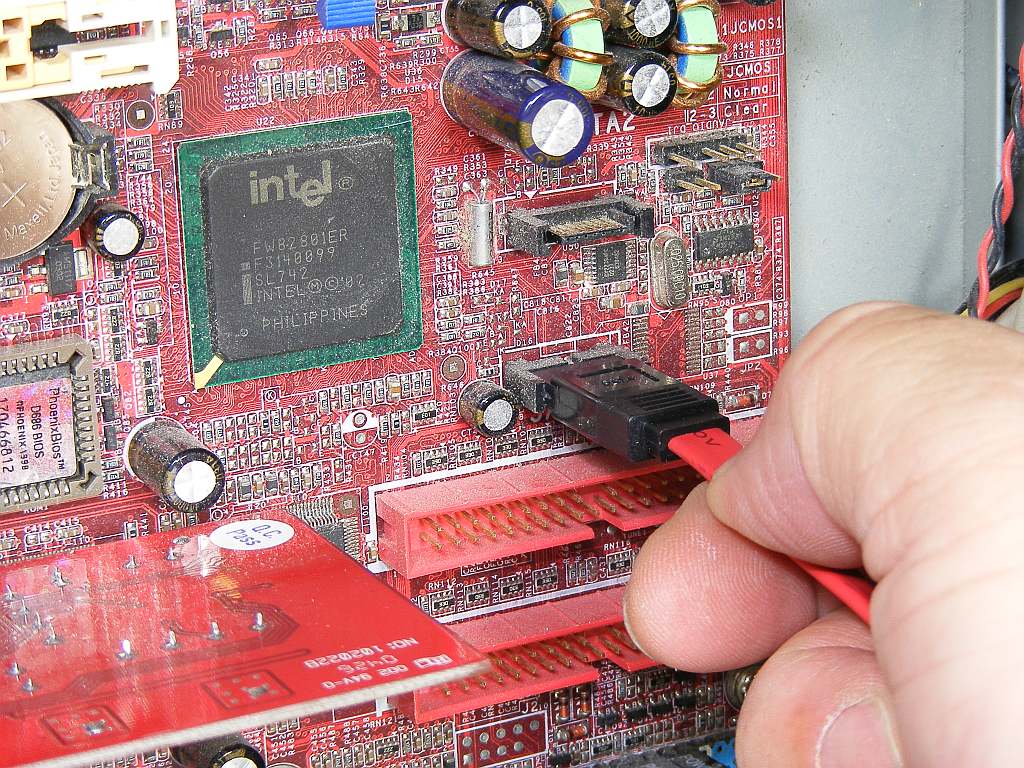
Check your Sata cables

Over the past couple of months, my main Windows 7 work PC has been plagued by intermittent freezes, accompanied by a constantly-lit hard disk access light. After trying to isolate the cause with Resource Monitor, I've put it down to all manner of problems including Google Chrome's cache and anti-virus programs,  but nothing was able to fix it. The freezes could happen two or three times a day, or go away for a couple of days, and I would also get CHKDSK kicking in three or four times a month when the PC was rebooted. I was starting to worry that the hard disk itself was on the way out, but CHKDSK never returned any errors and the SMART monitoring status showed no problems.

In desperation, after seeing a couple of entries in Event Viewer relating to errors on a Sata port, I tried reseating the Sata hard disk cable into another port, but no luck. So then I tried using a different Sata cable, and hey presto! - the problem went away, and my PC hasn't frozen for over two weeks. Bizarre, but all I can guess is that there was some marginal problem with the cable. The moral is that it's often easy to blame software for PC problems, but never forget that anything with a bit of wire inside it can fail too.

Sata cables can fail, too


Wednesday, 19 January 2011

Review: D-Link Boxee Box DSM-380

I was quite looking forward to reviewing D-Link's Boxee Box, but in the event I was very disappointed with it, mainly due to problems of usability. You can read my full opinion of it over on Computeractive's website.

TP-Link TL-WR2843ND 450Mbps router

At CES, TP-Link unveiled this interesting new three-stream (3x3) 450Mbps 802.11n router, one of the first consumer models to appear in the UK. I've written a short piece about it on ZDNet UK's First Take blog. The router will be available in May at a very low price of £84.99 (inc. VAT), and I hope to get my hands on a review model in the next few months.

Tuesday, 18 January 2011

Review: Cyberlink Media Suite 9 Ultra

The latest version of Cyberlink's all-in-one media playback, editing and burning suite is now available, and you can read my full review of it on IT Reviews. It's a very capable suite, but is spoiled by some very annoying niggles. It includes PowerDVD 10, which I reviewed separately last year.

Thursday, 13 January 2011

Plustek launches SmartOffice PS286 Plus scanner

I've written a brief news piece about this new desktop scanner from Plustek for ZDNet UK's First Take blog. It's a 25ppm, 600dpi model with a 50-page ADF. I'll be publishing a full review of it in the next couple of weeks or so.


Tuesday, 11 January 2011

Review: British Library: Treasures

The British Library has just launched an iPhone/iPad app called Treasures, which highlights some of the (many) star attractions in its vast collection. It features selected high-resolution pictures, a brief bit of background text, and sometimes a video or audio recording for each item.


The categories are Literature, History, Music, Maps & Views, Faith & Religions, Illuminated Manuscripts and Science. Additionally, there's a Current Exhibitions section that currently shows a selection of exhibits from the Evolving English exhibition.

It's a well-crafted app with some fascinating exhibits, although you only get at most a handful of pictures, and some just have a single photo. The descriptive text is also limited to just one page per exhibit. There's the obligatory Twitter integration, but there doesn't seem to be much point to this.

Videos are short but well produced, and are a mixture of talking heads and voice-over material. There's also the occasional audio recording - my favourite is a Yorkshire dialect speaker recorded in 1955 who sounds like my grandmother.

One gripe is the lack of any links to further online information about each exhibit, and as such it's more of a virtual  tour guide than a serious learning resource. There are also location maps for BL sites and a floor plan of the Sir John Ritblat Gallery at St. Pancras.

An iPad version with high-definition content costs £2.39, and the iPhone app costs £1.19. Despite the limited depth of coverage, it's still a fascinating app. 


Tuesday, 4 January 2011

Review: GFI Vipre Antivirus Premium Lifetime Edition

In 2010, GFI bought Sunbelt Software, including its Vipre antivirus suite. This special Amazon-only editionbucks the trend for subscription-based security products, and you can read my full review of it on IT Reviews, where it has been given a Recommended award.


Saturday, 1 January 2011

Beware the Fritz!Box 7390's 'green' LAN mode

I've just been testing a D-Link smart switch, and due to limited space on my desk had to stick this in front of my cheapo Belkin 8-port Gigabit switch (F5D5141-8v3). This meant the link status LEDs were hidden from view. Having finished the review and packed up the D-Link, I noticed that the uplink to the Fritz!Box 7390 (which I have on long-term loan) was only running at 100Mbps. Puzzled, I tried connecting the PC direct to the Fritz!Box, with the same result - all the LAN ports were running at this lower speed.

Thinking it might be the new firmware upgrade, I tried to think of something that might have changed. For some reason I thought of the 'green' LAN feature, so I checked it and noted that the ports were set to automatic 'green' mode. I changed this to 'always on' and hey presto, the link speed changed to 1Gbps. I wasn't sure why, though, but checking the help file revealed all - the 'green' mode just reduces the port's speed to 100Mbps when a device is connected. Obviously, this does help the Fritz!Box save power, but for some reason I thought that it did other clever things like reducing signal strength for short cables, like some other networking kit I've seen (D-Link's Green Ethernet technology is an example). It does turn off power to unused ports, however.

So be careful activating the green function if you need full-speed LAN connections - one of the few annoying things about the Fritz!Box is the lack of visible port status information - and even in the web interface there's no indication of the active link speeds. The safest compromise between speed and power consumption is to set all ports to the 'Identify Automatically (Power Mode)' setting - this runs ports at the full 1Gbps, but turns them off when there's no cable connected.

Don't do this if you want a full-speed LAN

UPDATE 31/1/2011: I've corrected parts of this article, as the Fritz!Box 7390 does turn off power to LAN ports with no device connected, unless the 'Always Enabled' setting is used.

UPATE 19/9/2012: The latest FritzOS 5 firmware adds the details of port speeds to the energy settings screen shown above.